
 | Hi, I'm Jonathan Malkin. Each week I test the new AI tools and tell you which ones are worth your time. Email me → |

Swap the agent, keep the structure
If AI feels like it's changing so fast you don't know what to do with it, you can still try each new tool without starting over.
In October I moved all my AI work to a new agent. Then I did it again. Each move took an afternoon.
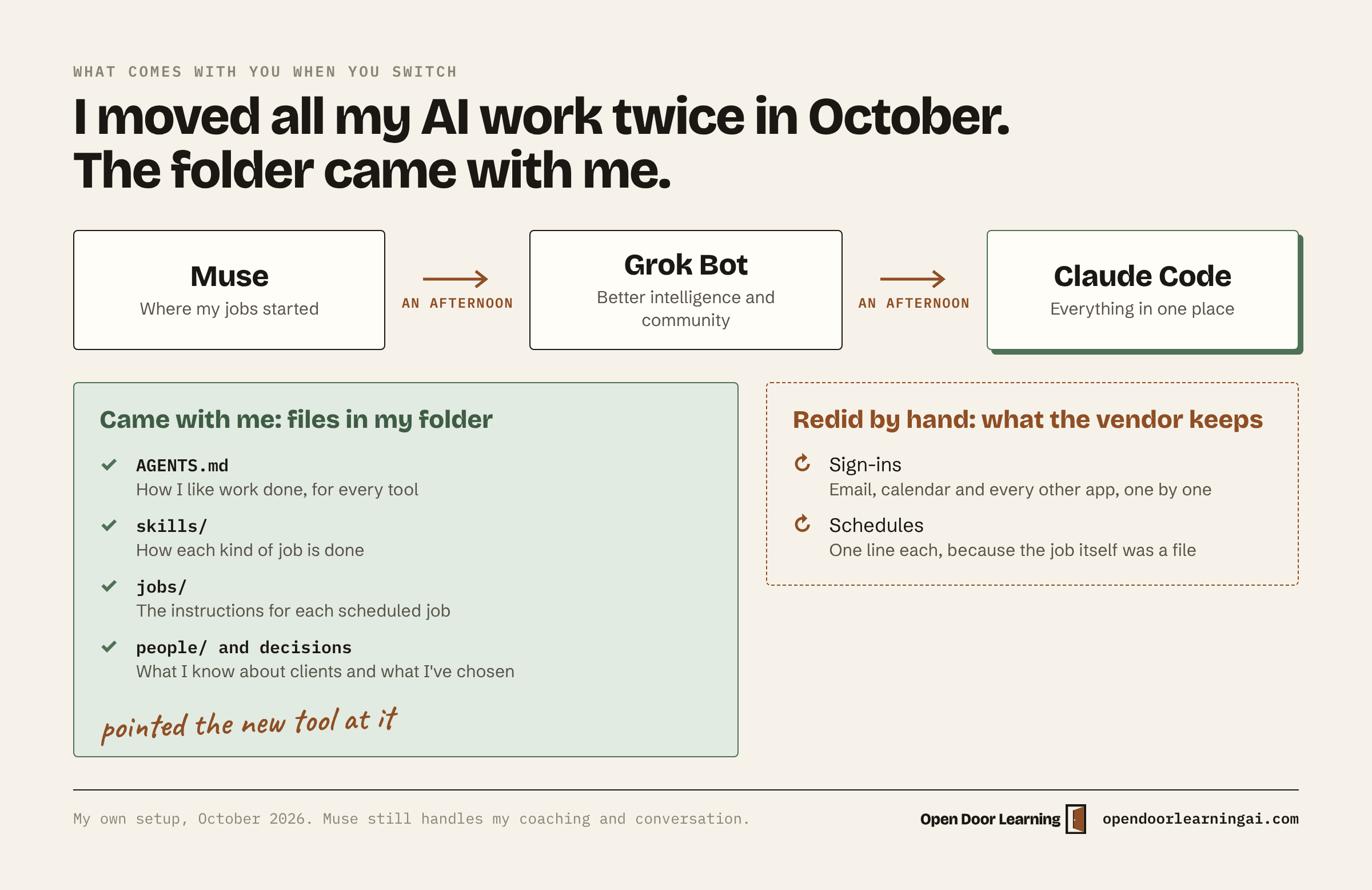
First I left Muse for Grok Bot, for better intelligence and a better community of practitioners. Then I left Grok Bot for Claude, because Claude Projects really works for me and I want everything in one place. The work itself never left my folder.
I call the method swap the agent, keep the structure. Your rules, skills and notes live in your own files, so any new agent can pick them up.
What came with me
My rules, my skills, the instructions for every scheduled job and my notes on people and decisions were already files in my own folder. Each agent holds one line that points at that folder, so the new one could read everything the old one did.
What didn't, and how I handle it now
The sign-ins to my email, calendar and other apps belong to each vendor, so I connected them again. The schedules lived inside each app too. Because each job was already a file, a schedule took one line to retype.
Two tools now take most of that work:
- Composio connects my AI to my apps, like Gmail, Calendar, Notion and LinkedIn. I sign in once there, and any agent that can reach it uses those connections. Use it when an agent needs to read or act in your apps.
- 1Password keeps every login and API key in one place. Use it when a new tool asks for a key or a password that no connector covers, so setup means pasting instead of hunting.
Set yours up once
One folder with a few files is enough to start.
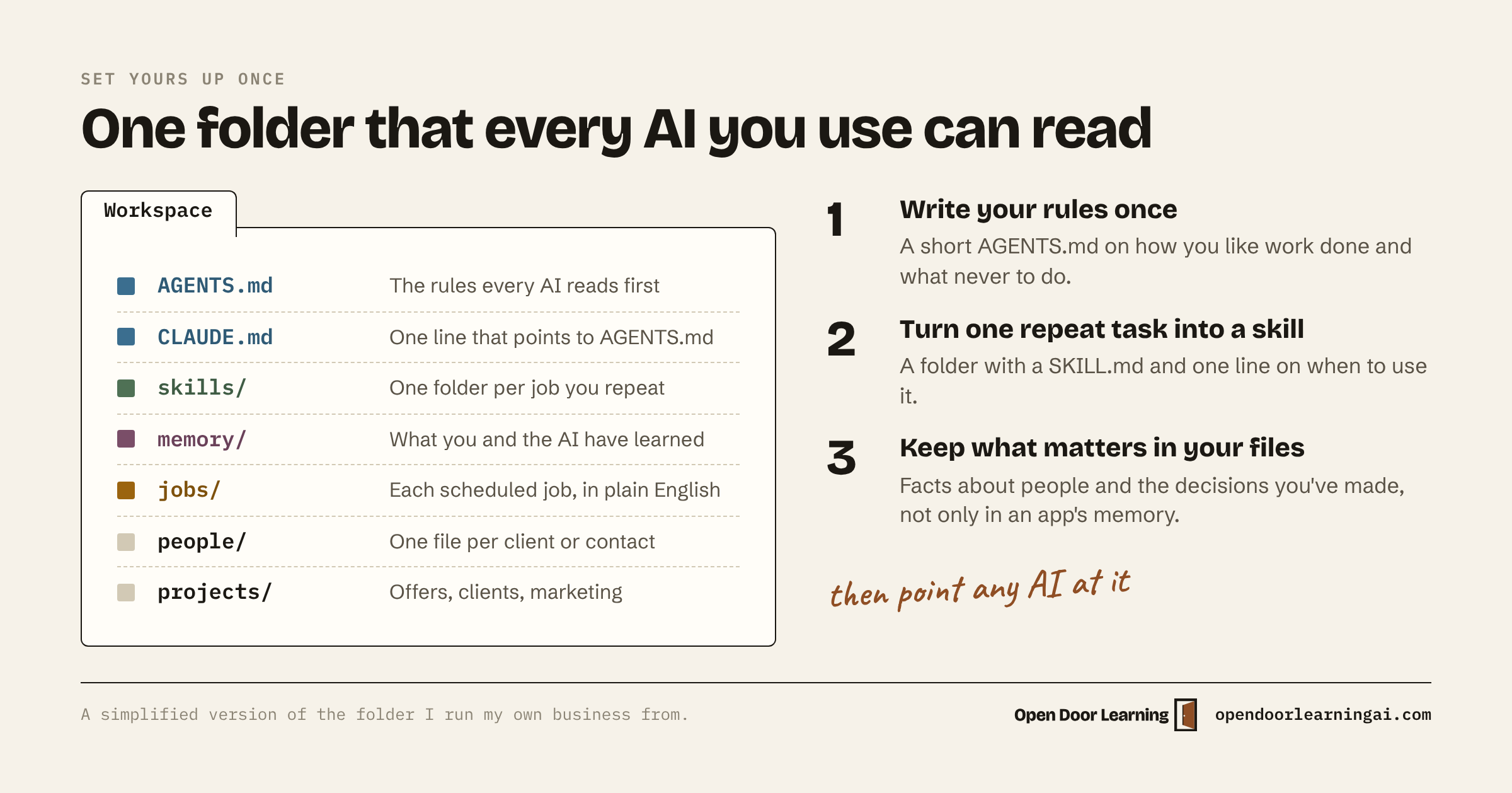
- Write your rules once, in a short AGENTS.md that every AI reads.
- Turn one task you repeat into a skill.
- Keep what matters in your files. Facts about people and the decisions you've made go in the folder. Turn off the built-in memory in Claude and ChatGPT.
Lesson 1 builds your first map file in about 10 minutes. Lesson 2 gets every AI you use reading the same folder.
My take
Pick the tool that fits how you work right now. For me that's Claude Code for the business and Muse for conversation. That may change again. Put your effort into your own files, because those come with you.

One page that tells you what today needs
Most mornings start with your calendar in one tab and your inbox in another. AI can read both and hand you one short page.
Steps to try it:
- Connect your email and calendar to Claude or ChatGPT. In Claude, that's Customize, then Connectors.
- Start a new chat and paste this:
Copy this
"Read my calendar for today and my email from the last 24 hours. Write one phone screen with four parts: First move (the one thing to do first), Today (each meeting with its time and who's in it), Waiting on me (emails I still need to answer) and Waiting on others (emails I sent that still need an answer). Don't send, delete or change anything."
- Tell it what's off, like "Skip newsletters and receipts. Only people."
It works because it reads where your day already lives. Lesson 3 shows how to get it every weekday at 8 without asking.

Quick Notes
Four things worth knowing this week.
- Personal finance in Claude and ChatGPT. Claude added a Personal Finance tool this week: link your bank, card, loan and investment accounts, then ask Claude about your money. It's a US-only beta on the Pro, Max and Ultra plans. ChatGPT Pro has offered the same in the US since May. Both are built for household money. Your business books belong in your accounting software. (Claude, OpenAI)
- Texting ChatGPT. ChatGPT Pro users in the US can now text it from their phone's messaging app, photos and voice notes included. It's a beta on the Pro plan only. The ChatGPT app does the same job. (OpenAI)
- For Notion users. Notion now works inside ChatGPT, and Notion's own agents can read your Google Drive files. Before you connect it, decide which pages ChatGPT may open. (Notion)
- ChatGPT Images 2.6. OpenAI's new image model keeps details steady from one edit to the next, can reuse your logo or product photos so graphics look like your business, and turns a photo into an animated GIF. (OpenAI)
Hit reply and tell me which AI tools you use today. I read every one.
Thanks for reading. See you next Monday!!
Jonathan Malkin is an AI educator in Austin who teaches owners, executives and their teams to solve real business problems with AI.